SPF, DKIM, DMARC and DNSSEC Explained
Published on 25th July 2025 by Simon Fearby
Configuring SPF, DKIM, DMARC and DNSSEC is essential because they protect your domain from email spoofing, ensure your messages aren’t tampered with, improve deliverability, and secure your DNS records from being hijacked. This guide walks you through SPF, DKIM, DMARC, and DNSSEC for protecting your domain and ensuring safe email delivery.
TLDR, What Are SPF, DKIM, DMARC and DNSSEC?
| Protocol | Purpose |
|---|---|
| SPF | Verifies which IPs/servers can send email on behalf of your domain |
| DKIM | Cryptographically signs email content to prevent tampering |
| DMARC | Tells recipients how to handle failed SPF/DKIM emails (reject, quarantine, etc.) |
| DNSSEC | Secures your DNS records from spoofing/tampering |
Summary
| Goal | SPF | DKIM | DMARC | DNSSEC |
|---|---|---|---|---|
| Prevent spoofing | ✅ | ✅ | ✅ | ✅ |
| Authenticate emails | ✅ | ✅ | ✅ | ❌ |
| Control delivery rules | ❌ | ❌ | ✅ | ❌ |
| Secure DNS records | ❌ | ❌ | ❌ | ✅ |
Let's break this down.
1. SPF (Sender Policy Framework)
SPF is a DNS record that lists which servers are allowed to send email for your domain.
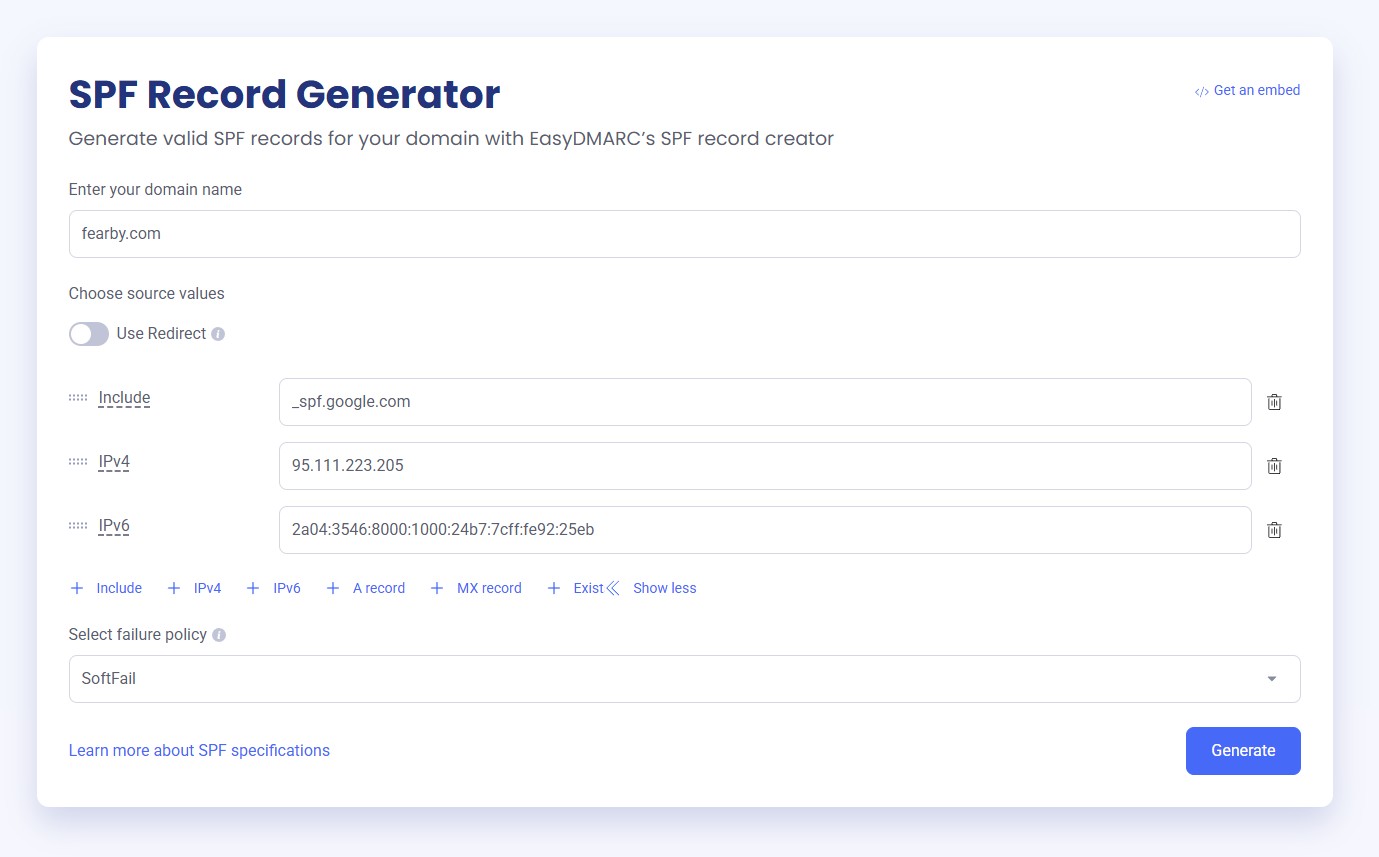
This is my SPF record (DNS record) that allows Google and my server (emails are sent via cron jobs) to send emails.
This tells mail servers that Only Google and my server can send emails as @fearby.com. Everything else should be rejected (-all).”
Tip: Use this site to https://easydmarc.com/tools/spf-record-generator to generate a SPF record. Do set a SoftFail until you test your record then set Fail to block invalid mail. This site explains SPF policies very well.
Once you record is ready to deploy you can login to you domain registrar, navigate to your DNS settings add a TXT record
My Public Domain DNS SPF Record

DNS may take a few seconds to a few hours to replicate around the world. Use https://dnschecker.org/ tool to check DNS replication. Once DNS has replicated you can test the record here, here or here.
2. DKIM (DomainKeys Identified Mail)
DKIM uses a private key to sign each outgoing message. The public key is published in your domain’s DNS.
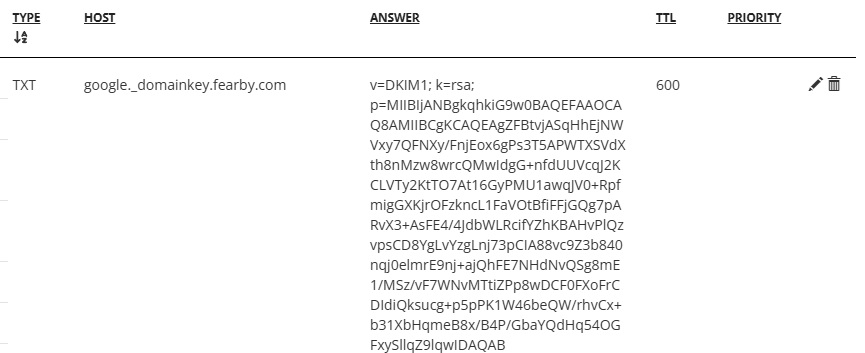
This is my DKIM record (DNS record
ASqHhEjNWVxy7QFNXy/FnjEox6gPs3T5APWTXSVdXth8nMzw8wrcQMwIdgG+nfdUUVcqJ2KCLVTy2KtT
O7At16GyPMU1awqJV0+RpfmigGXKjrOFzkncL1FaVOtBfiFFjGQg7pARvX3+AsFE4/4JdbWLRcifYZhKBAH
vPlQzvpsCD8YgLvYzgLnj73pCIA88vc9Z3b840nqj0elmrE9nj+ajQhFE7NHdNvQSg8mE1/MSz/vF7WNvMTt
iZPp8wDCF0FXoFrCDIdiQksucg+p5pPK1W46beQW/rhvCx+b31XbHqmeB8x/B4P/GbaYQdHq54OGFxySll
qZ9lqwIDAQAB
This will cryptographically sign emails via at mail server.
I use Google Workspace to send emails and they have build a UI to generate a DKIM Public and Private Key and to configure the mail server
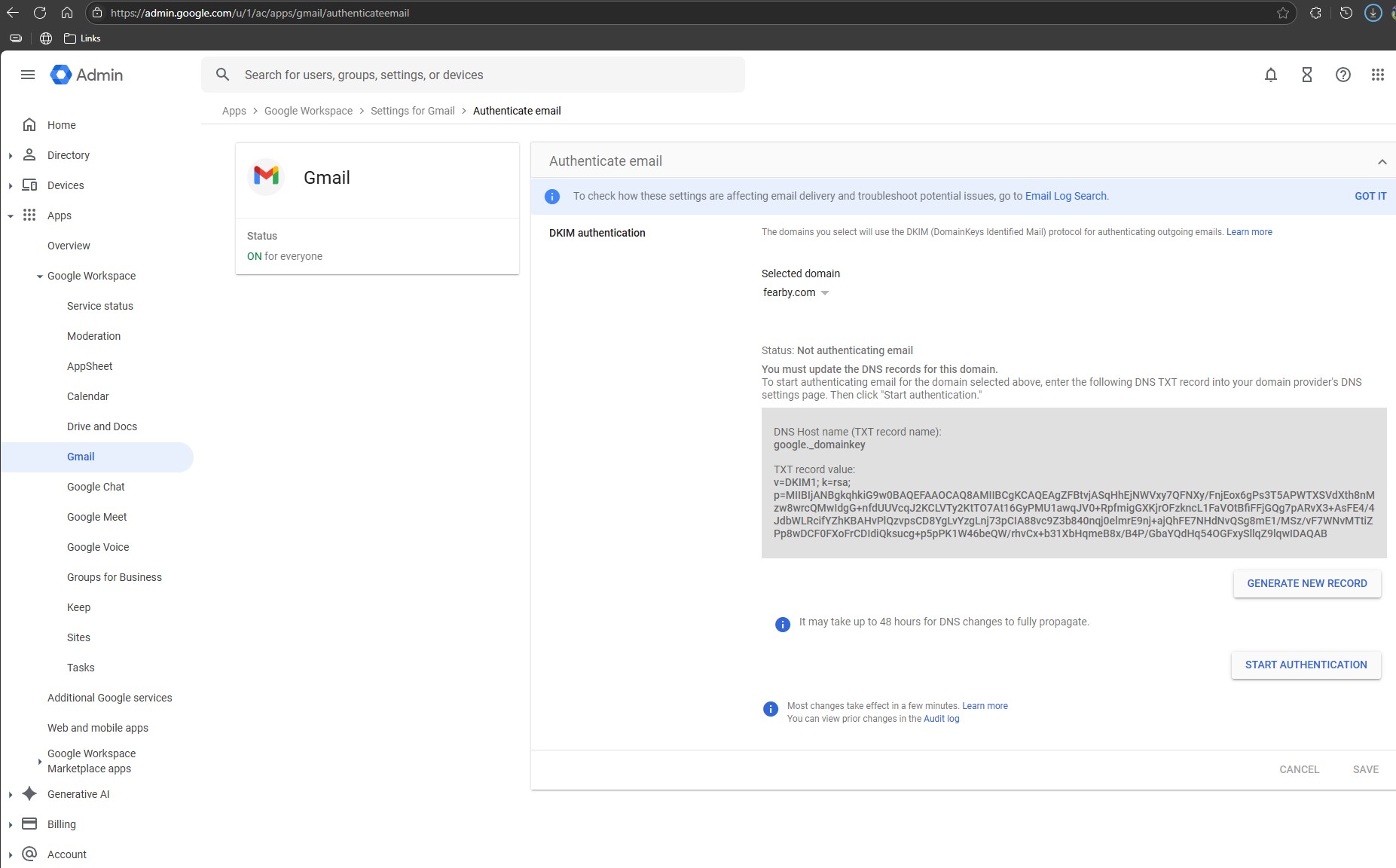
Follow your mail servers DKIM guide to generate DKIM keys.
| Mail Provider | DKIM Setup Guide |
|---|---|
| Google Workspace (Gmail) | DKIM setup instructions |
| Microsoft 365 (Exchange Online) | DKIM configuration guide |
| Zoho Mail | Zoho DKIM setup |
| Proton Mail | ProtonMail DKIM setup |
| Fastmail | Fastmail DKIM instructions |
fyi, DNS may take a few seconds to a few hours to replicate around the world. Use https://dnschecker.org/ to check DNS replication. Once DNs has replicated you can test the record here or here.
My Public Domain DNS DKIM Record
DNS may take a few seconds to a few hours to replicate around the world. Use https://dnschecker.org/ tool to check DNS replication. Once DNS has replicated you can test the record here, here or here.
3. DMARC
- Which emails are allowed to send on your behalf (via SPF and DKIM)
- What to do with failed messages (none, quarantine, or reject)
- Where to send reports
DMARC builds on SPF and DKIM to tell recipients what to do when checks fail.
My Public Domain DNS DMARC Record

Breakdown
- v: The DMARC version, which should always be "DMARC1".
- p: The policy that will be applied to emails that fail DMARC. Acceptable values are: "none", "quarantine", or "reject". "none" is used to collect reports without impacting email flow.
- sp: The sub-domain policy that will be applied to emails that fail DMARC. Acceptable values are: “none”, “quarantine”, or “reject”
- rua: The email to send reports to
Tested with
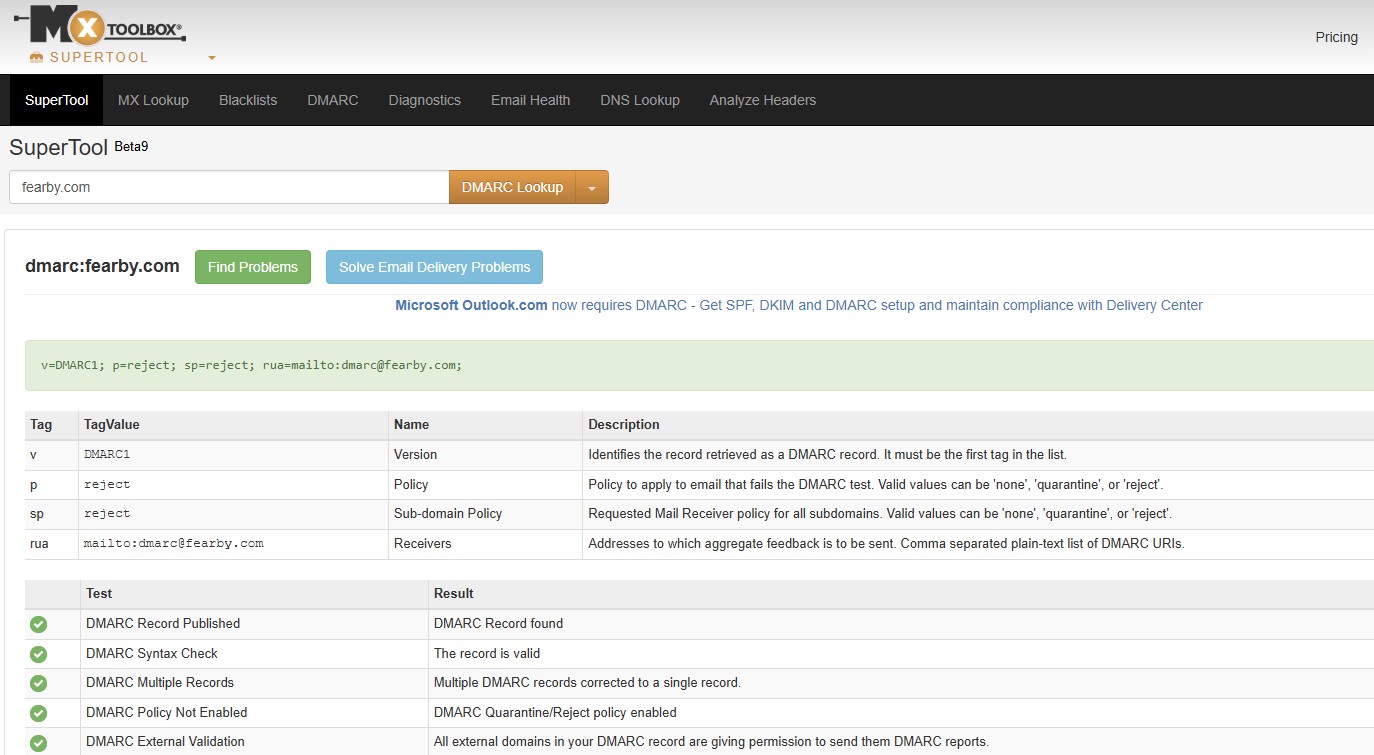
fyi, DNS may take a few seconds to a few hours to replicate around the world. Use https://dnschecker.org/ to check DNS replication. Once DNs has replicated you can test the record here and here
4. DNSSEC (DNS Security Extensions)
DNSSEC adds cryptographic signatures to your domain's DNS records, so:
- DNS resolvers can verify authenticity
- Prevents DNS spoofing, cache poisoning, and man-in-the-middle attacks
- Go to your domain registrar.
- Enable DNSSEC. Some registrars manage keys automatically.
- If needed, manually add DS records from DNS host to registrar.
For me I just had to turn on a checkbox to enable DNSSEC.
DNS may take a few seconds to a few hours to replicate around the world. Use https://dnschecker.org/ to check DNS replication. Once DNs has replicated you can test the record here or here
Best Practices
- Do not fail or reject emails straight away, test and then elevate to fail later.
- Set your SPF record with only trusted senders.
- Enable DKIM signing in your mail provider and publish the TXT record.
- Add a DMARC policy starting with
p=noneto monitor before enforcing. - Enable DNSSEC via your domain registrar if supported.
- Start DMARC in
p=nonemode to monitor first. - Use a dedicated inbox for
ruareports. - Don’t skip DNSSEC—it’s low-effort, high-impact.
- Combine all four for maximum protection..
- Renew/Replace DKIM Keys every year.
More Reading
Feel free to read the Internet Engineering Task Force (IETF) RFC documentation
- Sender Policy Framework (SPF) RFC
- DomainKeys Identified Mail (DKIM) Signatures RFC
- Domain-based Message Authentication, Reporting, and Conformance (DMARC)
- DNS Security Extensions (DNSSEC)
Happy Emailing
1.1