AI Image Training - Yolo8 Annotator
Published on 05th September 2025 by Simon Fearby
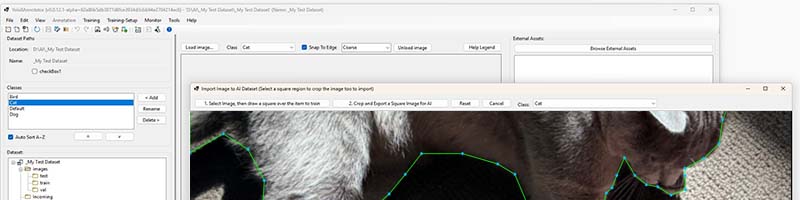
Yolo8 Annotator
DRAFT v003
While learning how to train AI image detection on my own PC for free, I soon realised that all of the of the cloud AI image tools are too expensive and or do not match my workflow. I just want an app that allows me to collect and tag images for AI training without excessive usage hoops and costs.
I decided to write my own Windows tool (EXE) to collect, store, annotate (Rect regions) and assign labels (classes) on images ready for training. I have called the tool Yolo8Annotator.exe.
In the tools current form it allows you to:
- Creating local datasets for AI image detection training:
- ./train/
- ./test/
- ./val/
- Saving metadata and classes in the dataset (Yolo8 compatible).
- Set ratios on image percents in train/test/val, e.g
- train: 70%
- test: 20%
- val: 10%
- Random shuffle of images in each train/test/val folder
- Importing Images (allowing selection of a square region and cropping to 640x640 (ideal size and aspect ratio for training)
- Defaults to lossless PNG files (over lossy JPEG files).
- Auto naming of images during import:
- Detecting the latest image number in your dataset (e.g image_1234.png)
- Smart annotating of poly regions when annotating images
- Snap to image contrast lines (Or manual override)
- Quick Undo/Redo and reset
- Quick move of points (when the mouse is near with arrow keys)
- Add more points to a line (double click ).)
- Auto creation of a txt annotation label file on image import.
- Dataset validation and health checker.
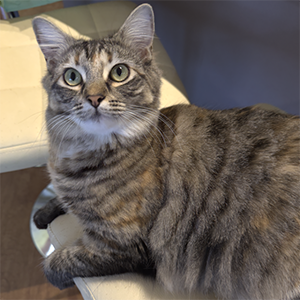
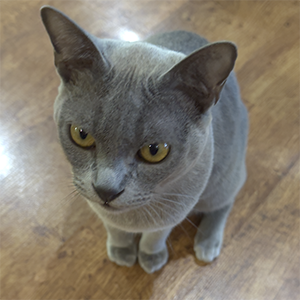
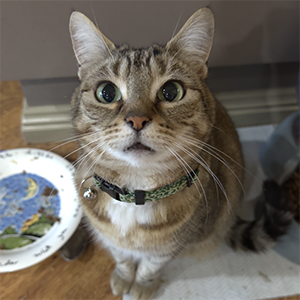
I am using my Cats to train in a dataset to keep things fun.
Ember
Toby
Stella
Planned Features
Features that ARE coming:
- HTTP Web Server to allow reciving of images over a LAN from an Phone
- “class/label” balancing in the shuffle split of images to train/test/val folders
- Bulk image import that also considers classes in where to save images to keep balanced class splits ratios.
- Duplicate image check when importing images (Single or Bulk).
- Duplicate/Randomize Images (for better use of imported images)
- Zoom levels
- Brightness Levels
- Contrast Levels
- Rotation
- etc
- Setup your local yolo8 train.py environment for AI training
- Adding Bounding Boxes (simple detect/locate of shapes), Keypoints (posture/pose queues), Line (edges) annotations
- AI Model Setup on your computer
- Hardware Check (CPU, RAM, GPU, SSD etc).
- Software Environment Check (CUDA/cuDNN, Python Environment, PyTorch and Ultralytics).
- Dataset Preparation (file structure, image quantity and split, class balance, augmentation).
- Versioning Datasets
- Logging
- Running AI Model training (While Training
- Hyperparameter tuning (pre training settings).
- Matching label files.
- Class Balance.
- Batch size (for GPU ram).
- Learnng rate (rate of learning rate).
- Epochs (pass through the complete dataset).
- Optimizer choices (algorithm that decides how to adjust weights based on gradients).
- Hardware monitoring: GPU Ram/Temp/Usage, COPU Usgae, Disk IO, Thermal Throttling)
- Reporting on AI Model training and accuracy (Post Training)
- Images a second
- training speed
- learning rate
- Per class mAP
- Per class confusion matrix
- dataset health
- Loss curves
- checkpoints validation
- Precision
- Recall and F1 Score
Skipped Features
Features that are NOT coming:
- Adding Cuboid 3D bounding box (drawn in 3d perspective<) to determine an objects orientation, volume, and depth.
- Cloud Tagging
Annotation Types
Why does yolo8 have so many annotation types? Here is my breakdown of the types.
| Annotation Type | Best Use | Example |
|---|---|---|
| Bounding Box (Rect) | Detecting the presence and rough location of an object. Fast, simple, YOLO-friendly. | Cat bowl (detect bowl area) |
| Polygon (Series of Points) | Outlining irregular shapes, segmentation tasks, precise boundaries. | Cat body outline |
| Keypoints | Marking landmarks or joints to infer posture, orientation, or pose. | Cat’s posture (sitting, lying, crouching) |
| Lines | Capturing elongated structures, edges, or continuity between points. | Cat whiskers, spine line, tail path |
| Cuboid (3D Bounding Box) | Representing orientation, rotation, depth, and approximate volume in 3D space. | Cat’s 3D rotation/volume in space |
Preview: Create Image Dataset
Yolo8Annotator.exe will allow you to create a Dataset to store images for AI training.
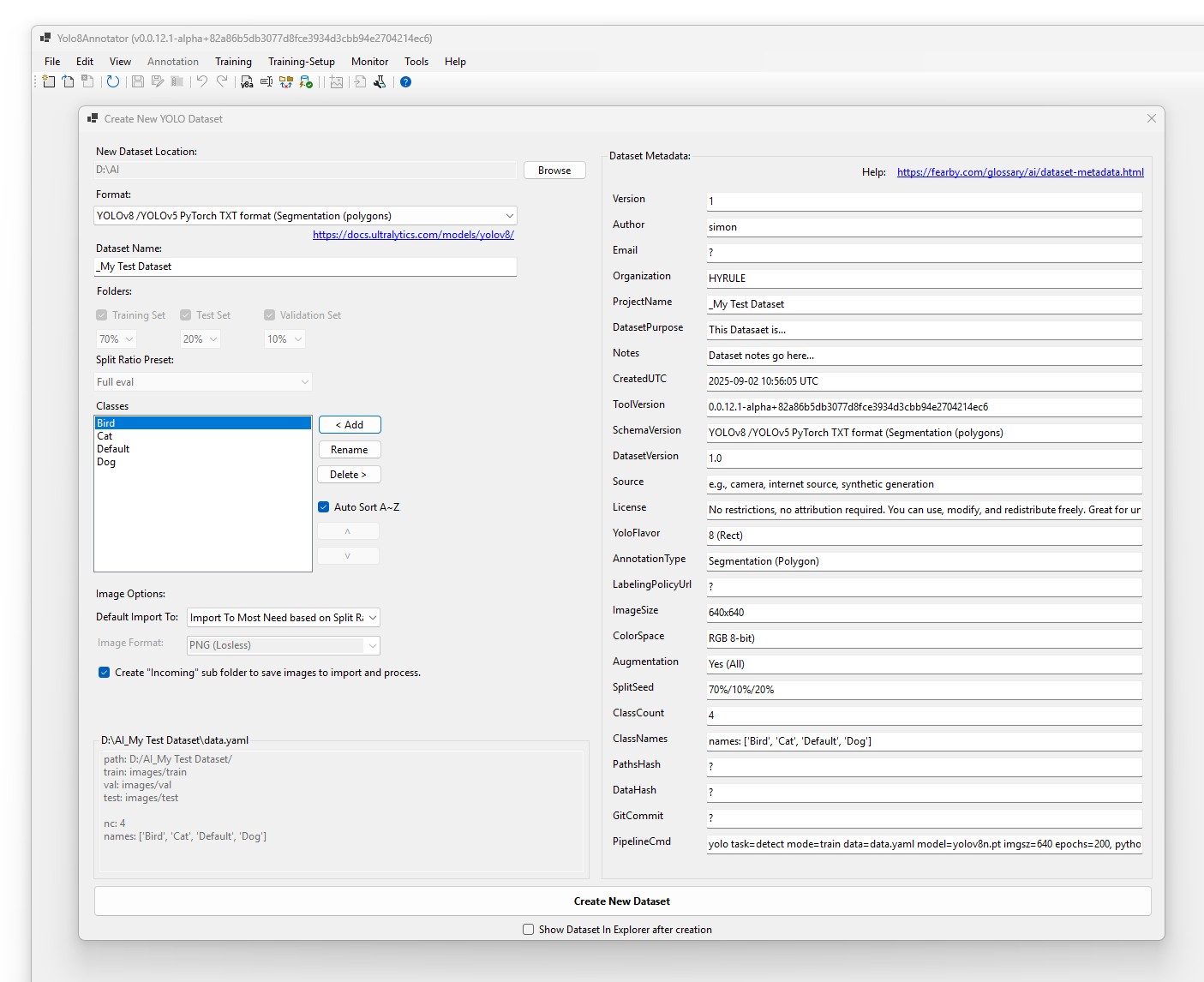
If the image is not a square aspect ratio you can select a region to crop and save.
YOLOv8 defaults to 640×640 because it’s a square power-of-2 size that balances GPU efficiency, convolution stride compatibility, and enough pixel detail to detect objects at multiple scales without blowing up VRAM or training time.
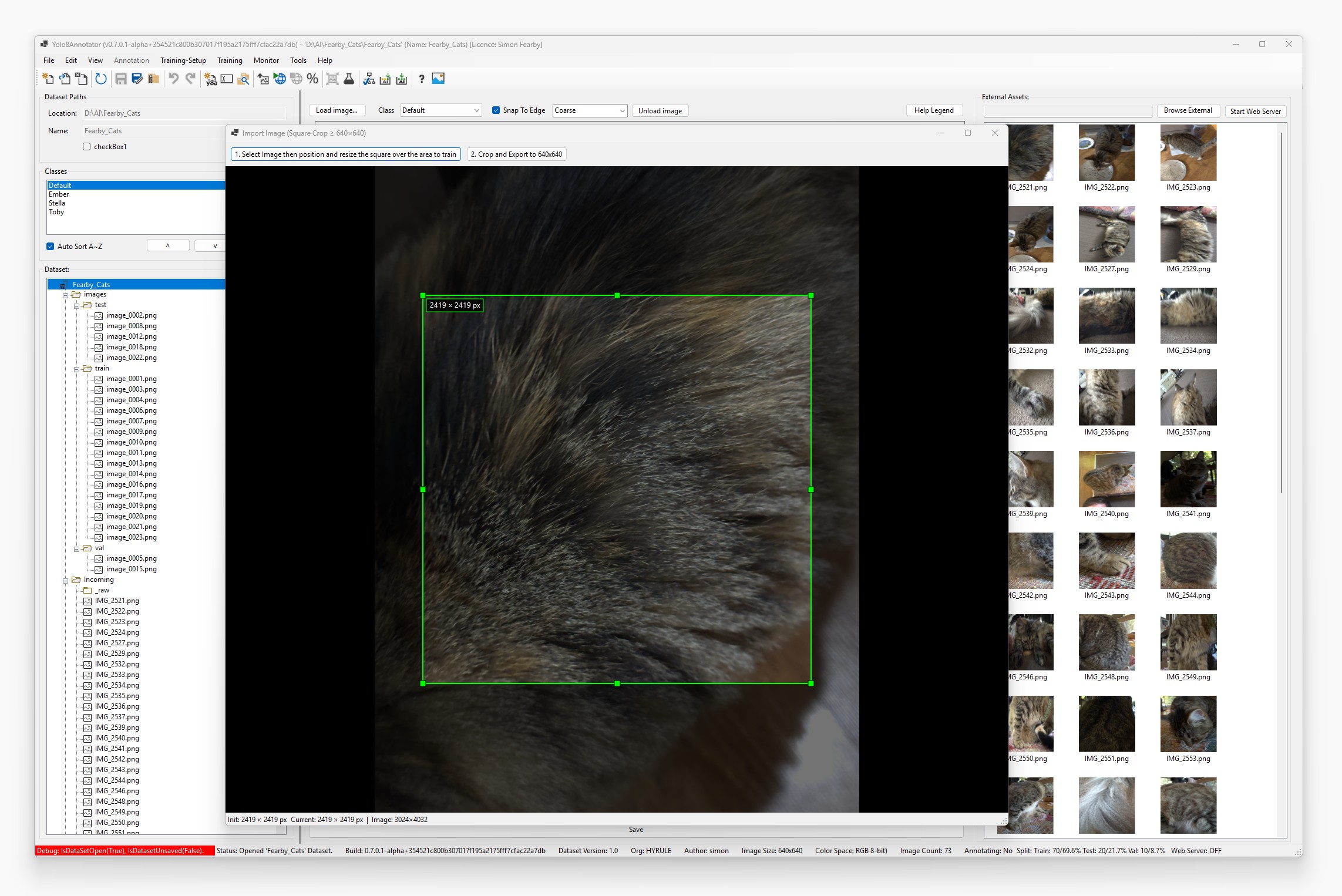
When importing an image, you can select a square region in the image (zooming in or out) and then crop and import it into the image dataset.
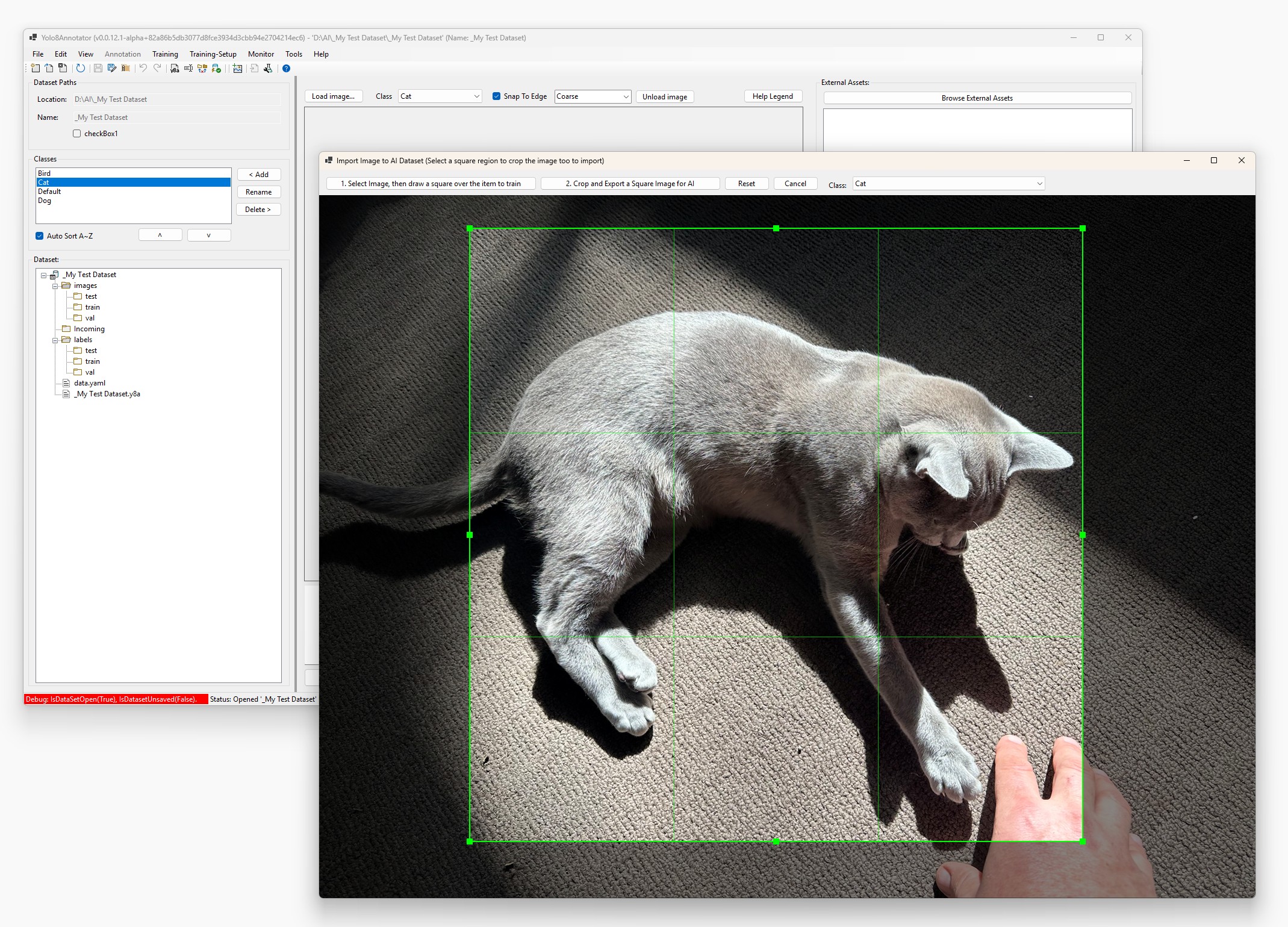
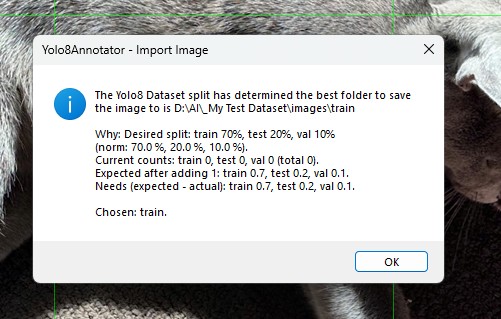
To save you time, after you crop and import the image, the YOLO-8 Annotator will analyse your data set and defined split ratios and choose the appropriate folder to save the image to based on ratios.
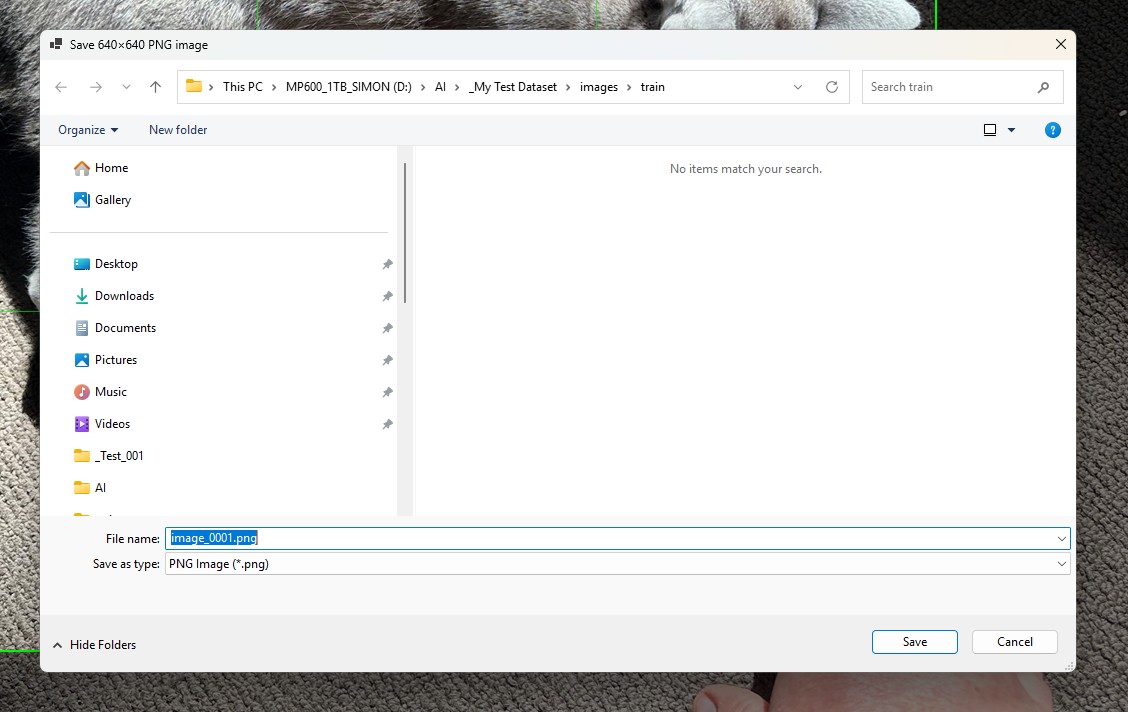
When you import a new image, it will automatically detect the next number increment for the image in the dataset, no matter whether it was in the train test or val folder. It won't try and obfuscate the file name as a random GUID like other cloud annotation software. It keeps things nice and simple. Future versions may allow you to prefix the image name at the front, but at the moment it is just "image_".
Some cloud software programs will stretch the image on import making it useless to train from.
After the image has been imported and saved to the appropriate image folder, Yolo8Annotator will also create the matching label text file in its matching folder structure. If this wasn't created, training accuracy would go downhill and the dataset would not be valid.
The core feature of Yolo8Annotator is to allow you to select a Rect region around an object that you want to be trained.
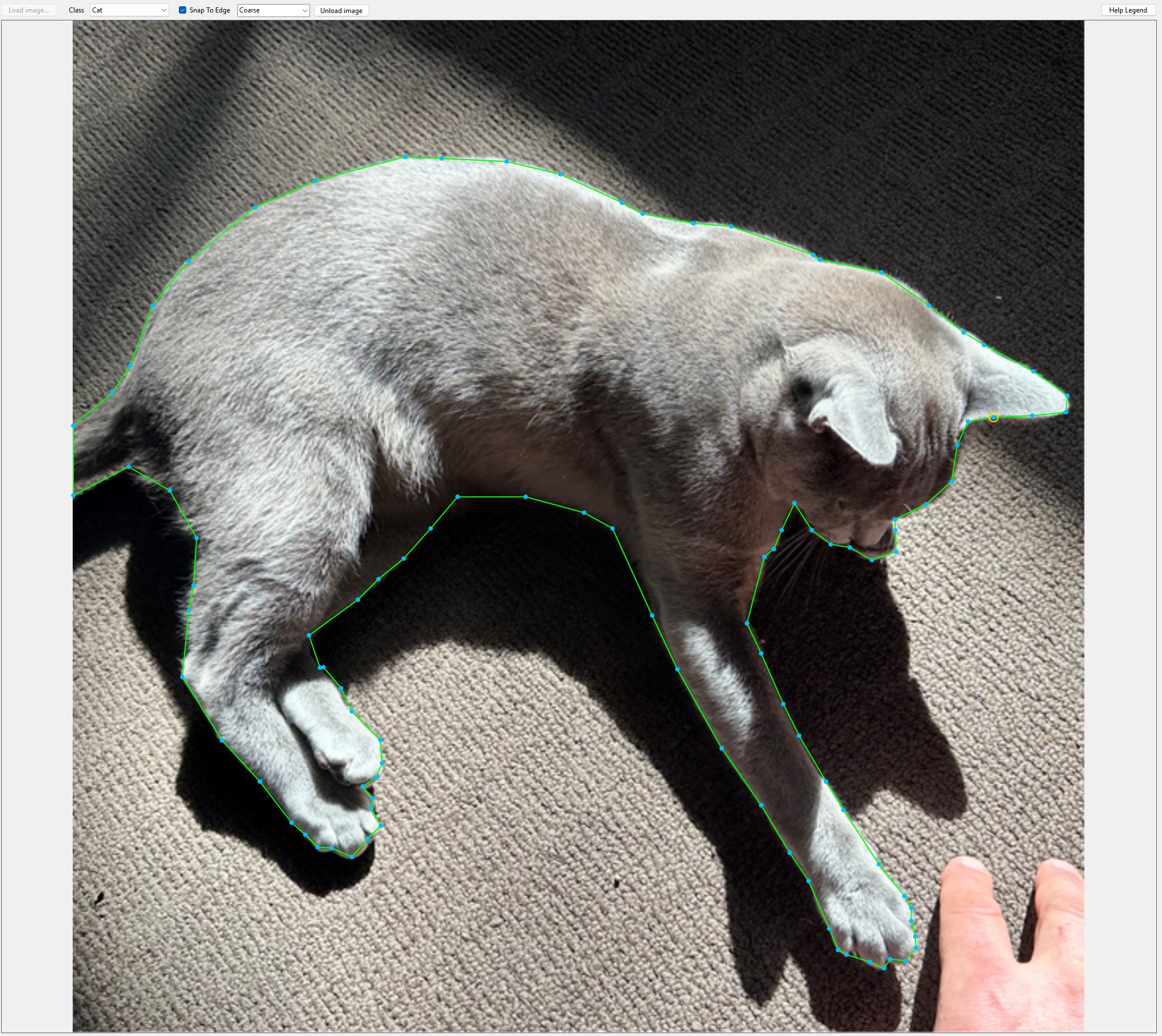
Annotating is quite intuitive. Left click to add a point. Right click to undo a point. Or CTRL-C to undo or CTRL-Y to redo. R to reset.
When you move the mouse near the blue Rect point, you can press up, down, left, or right to move that Rect point. You can press shift, up, down, left, and right to move that point a lot faster.
Also while clicking a point, you can have it automatically snap to the nearest contrast region. Or if it's not picking up the right contrast region, you can press CTRL and overwrite it, and it will save your current mouse X and Y position.
You can also assign the class to the object that you're annotating.
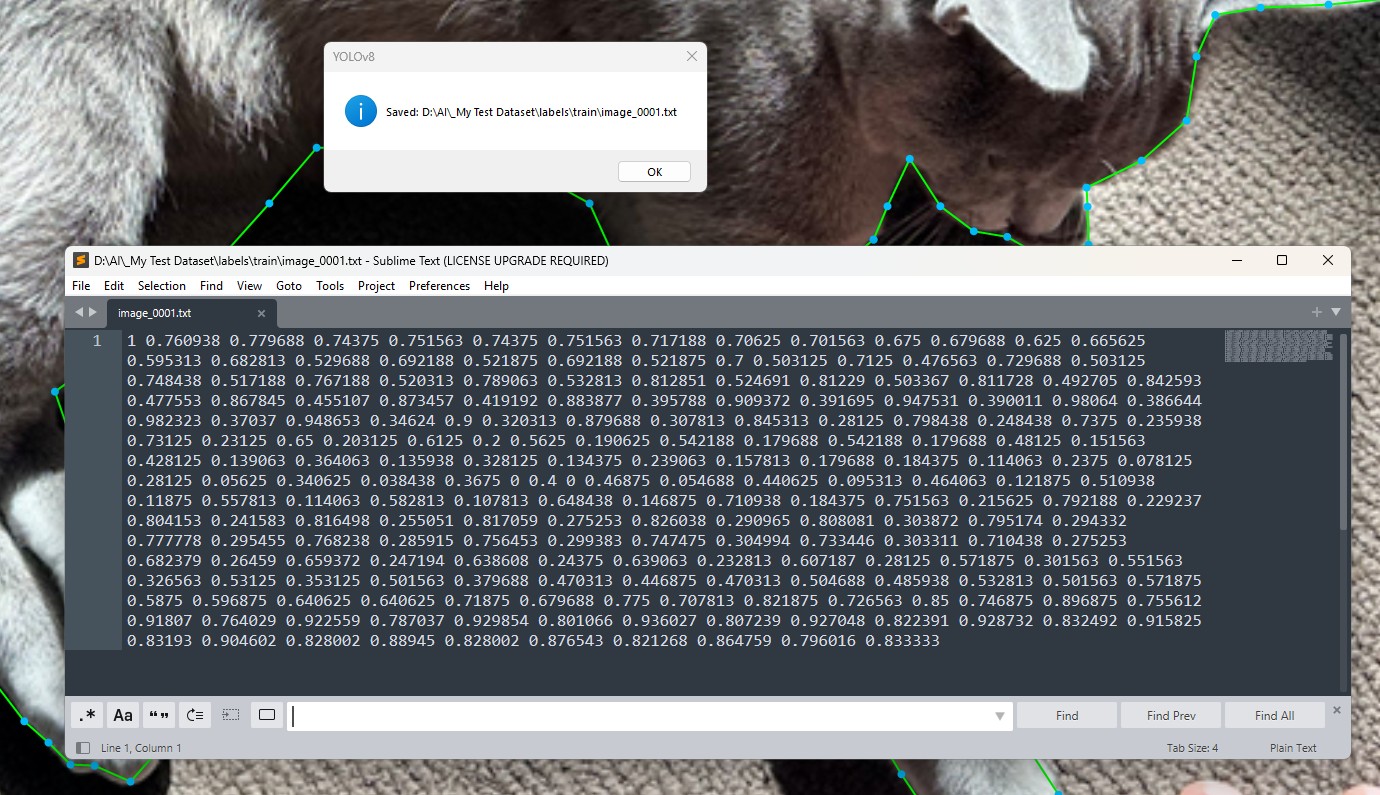
When saving the annotation, the label file will have all of the Rect points and the nominated class.
The original image will be the highest quality possible. Every pixel will be accurate, it won't be lossless, where JPEG it would be lossless.
Image Dataset Shuffle/Split
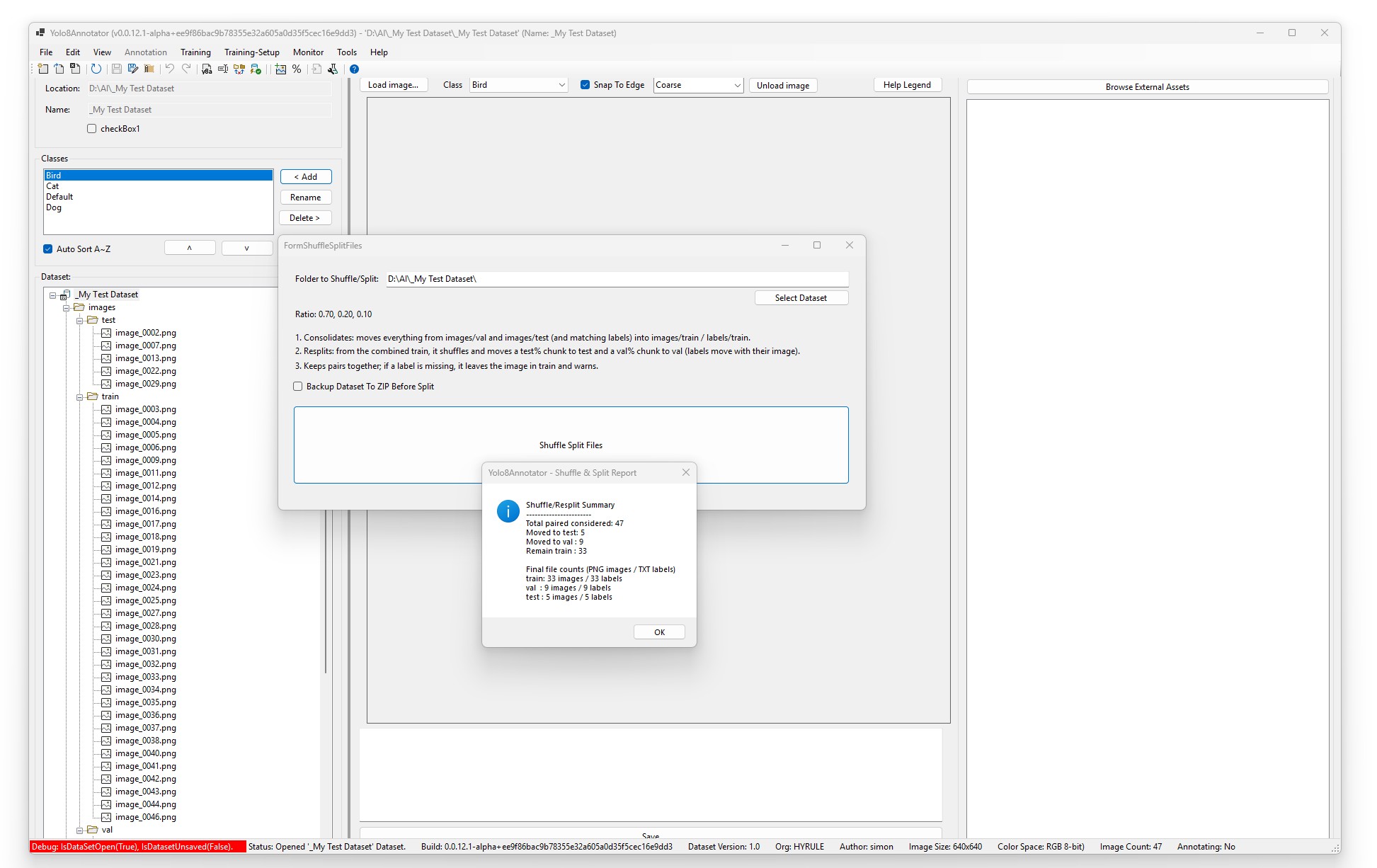
The application also has a nice shuffle-split function, so you can shuffle the images between the train, test, and validation folders to ensure the dataset is not biased towards certain image classes.
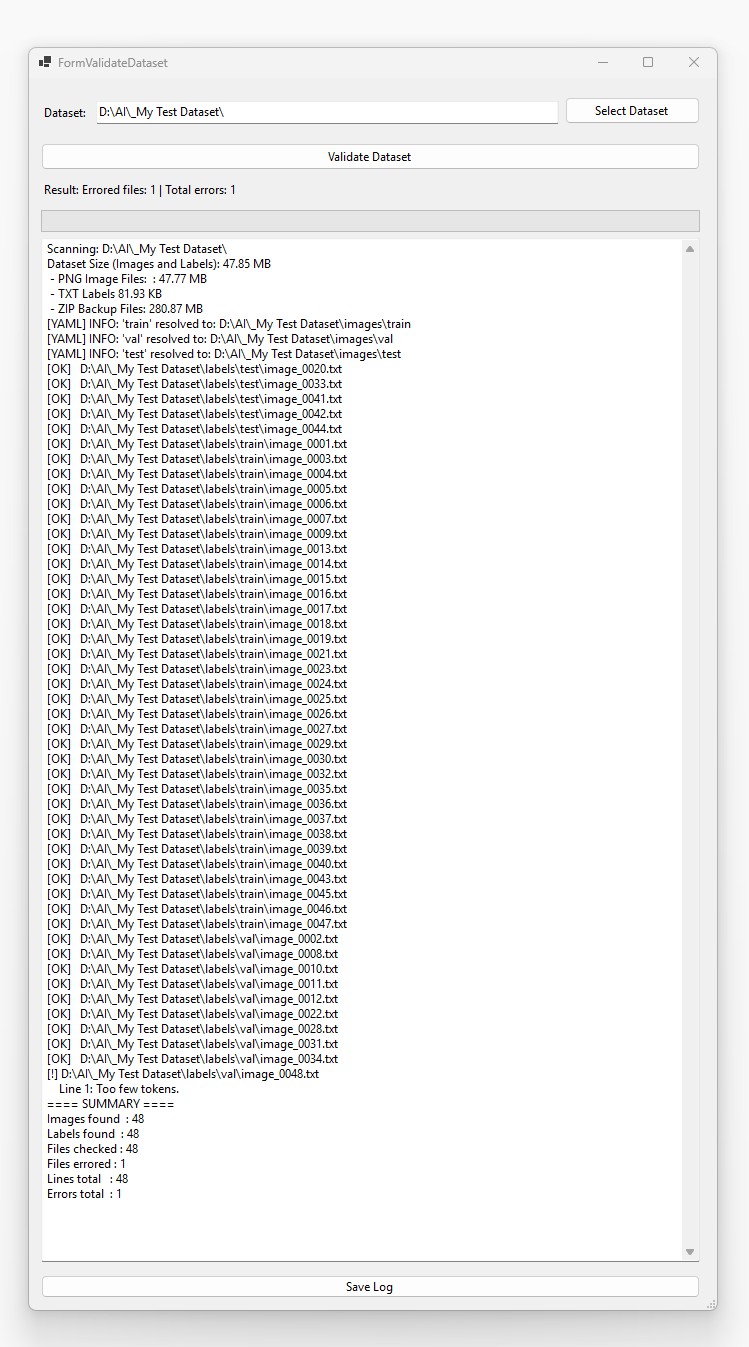
The application also has utilities like a dataset validator that finds common yolo dataset issues.
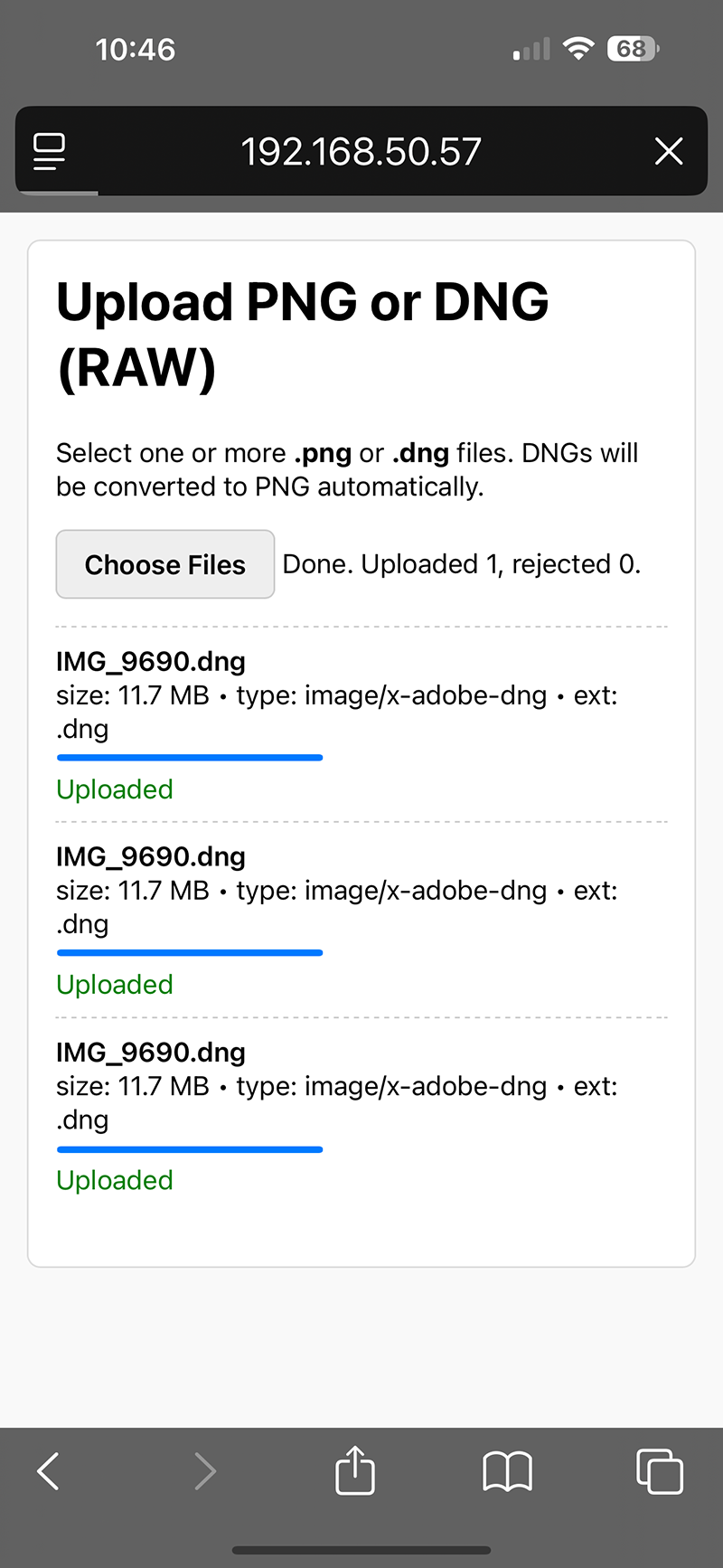
The application has a built in web server that allows a mobile phone browser to upload images. At present this is being testied on an iPhone 14 Pro Max. This is limited to lossless RAW/DNG images and now lossless JPEG files.
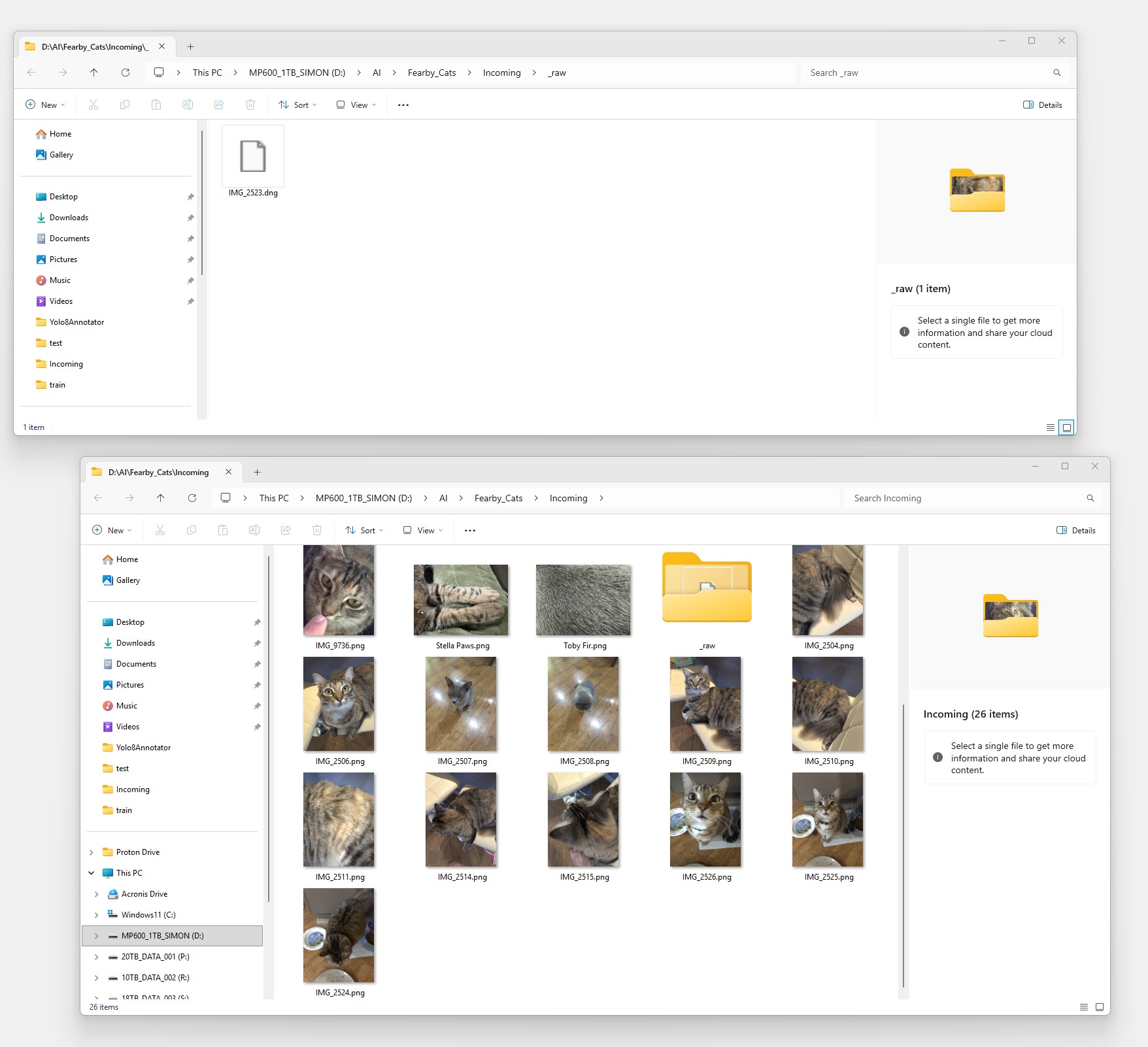
Upload of Images from a phone direct to the app.
During the Image Import Process tif the image is over 640x640 pixels the app will promopt the user to select a region to crop then down scale to a 640x640 square image.
The app will automatically comvert any uploaded RAW/DNG files to lossless PNG's
When importing an image (Manually Triggered) the app will determine the best folder (
Train, Test or Val to store the image (Based on the defined dataset Split Ratio)) and also choose the next filename to use (image_####.png). This will be the next highest number if no number sare missing in the middle.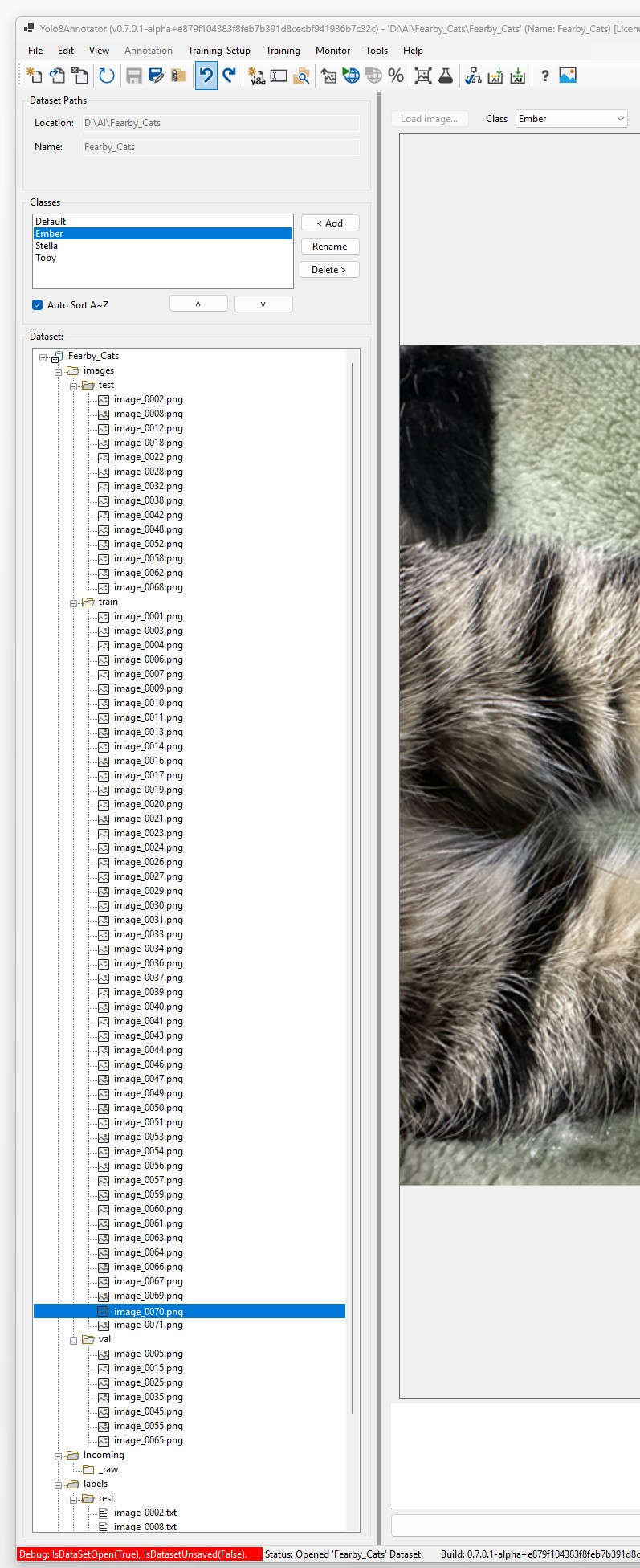
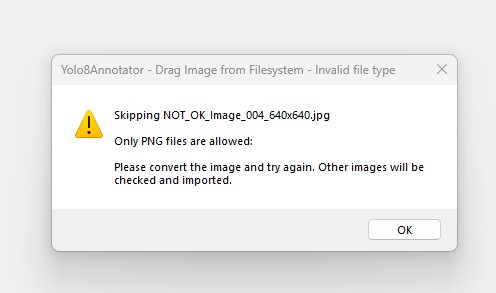
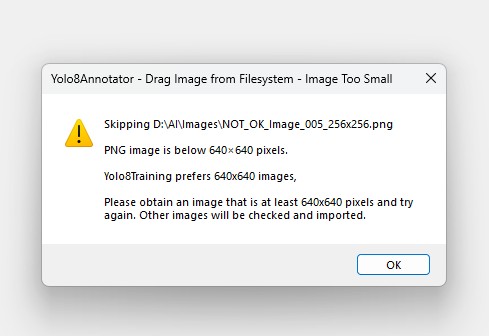
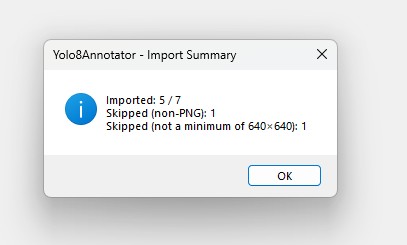
If multiple iamges are dragged into a "Train, Test or Val" folder they are processes.
- PNG fles that are 640x640 are imported to the user dropped on folder (Not the best folder for split ratioas the user knows best?).
- Lossless JPG files are ignored.
- PNG Files below 640x640 are ignored.
- Drag and Drop Summary at the end.
Licence
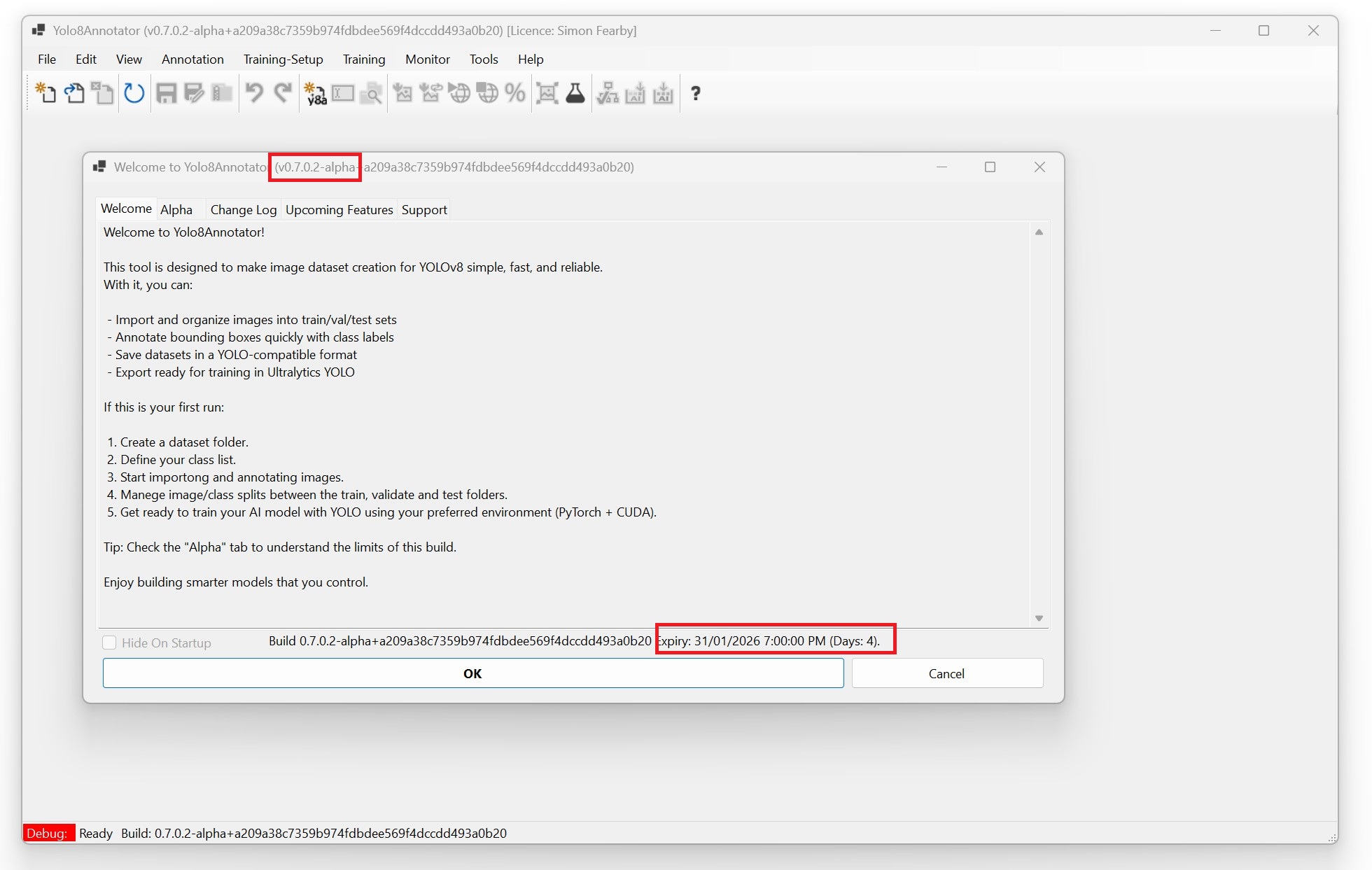
To ensure that I keep on track and not allow buggy builds to remian unfixed I added in a expiry/licence featrue
More to come before I release this to Alpha for testing and feedback.
v0.7.1